
Microsoft has announced that the Secure Boot certificates will expire in June 2026. This update will affect many users and organizations, as their computer systems will become vulnerable to boot attacks. Such devices will need new certificates to maintain continuity and protection.

These Secure Boot certificates maintain a trust chain that verifies a device’s firmware and boot process. As a result, the expiration of older certificates can cause update failures or, in rare cases, boot issues. Secure Boot is a firmware-level security feature that ensures only trusted code runs during the startup process. To maintain trust, Microsoft has begun transitioning devices from the 2011 certificate authority to the 2023 version.
Secure Boot Certificates are going to expire in June 2026
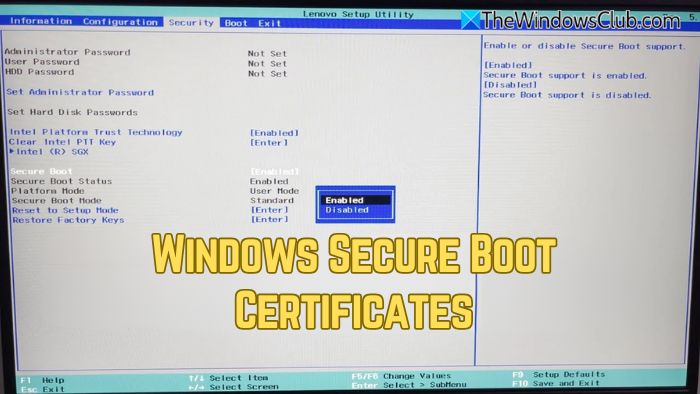
Secure Boot is a crucial security feature in Windows operating systems that ensures a system boots only using the software trusted by the OEM (Original Equipment Manufacturer). Secure boot stops malware from taking control of the operating system during boot. After 15 years, the Secure Boot Certificates will start expiring in June 2026.
This is a huge update from Microsoft that will affect many users and organizations. The following machines will be affected by this update:
Physical and virtual machines (VMs) on supported versions of Windows 10, Windows 11, Windows Server 2025, Windows Server 2022, Windows Server 2019, Windows Server 2016, Windows Server 2012, Windows Server 2012 R2—the systems released since 2012, including the long-term servicing channel (LTSC).
Additionally, the update will affect third-party OS, including macOS. However, it is outside the scope of Microsoft support. The Copilot+ PCs released in 2025 will remain unaffected by this update.
As per Microsoft’s official documentation, systems that do not receive the updated certificates in time may be unable to install certain future Windows updates tied to Secure Boot. Organizations with managed devices, legacy hardware, or strict update policies are considered the most at risk, as they may not automatically receive the updated trust chain.
For most devices, the update will occur automatically as long as the end user is running supported versions of Windows with regular updates enabled. However, Microsoft is still suggesting that IT teams verify certificate status, apply necessary firmware updates, and ensure diagnostic data settings allow the transition to proceed smoothly.
Furthermore, Microsoft has also released technical guidance that details timelines, required registry checks, and recommended preparation steps for enterprises. Microsoft emphasizes that acting before mid-2026 is crucial to avoid disruptions.
Implications of this update
When Secure Boot Certificates expire, systems will no longer receive fixes for Windows Boot Manager and Secure Boot Components. Hence, the devices will become vulnerable to bootkit malware, such as BlackLotus UEFI bootkit.
How to update Secure Boot Certificates?
Updating the Secure Boot Certificates is a critical step to ensure your systems remain protected against boot-level threats. If you do not take the necessary action, your device will become vulnerable after June 2026.
The easiest solution is to let Microsoft manage your Windows device updates, including Secure Boot Updates. Microsoft suggests enabling the “Send diagnostic data” feature to let Microsoft update the Secure Boot Certificates.
- Enterprise IT-managed systems that send diagnostic data do not need to do anything. Windows diagnostic data and OEM feedback will help Microsoft group devices with similar hardware and firmware profiles to gradually release Secure Boot Updates.
- Enterprise IT-managed systems that do not send diagnostic data need to send at least the required level of diagnostic data to Microsoft.
Users are also advised to check for the latest firmware version to ensure their computer systems support new certificates.
If the Secure Boot is disabled on your system, Windows will not update the required active variables for the Secure Boot Certificates. Therefore, we recommend enabling Secure Boot.
You can read the complete blog post on Microsoft’s official website.
How to check if secure boot certificates have been updated in Windows?
To check if secure boot certificates have been updated, run PowerShell as Administrator and use the following command:
[System.Text.Encoding]::ASCII.GetString((Get-SecureBootUEFI db).bytes) -match 'Windows UEFI CA 2023'
If the result is True, your system has the updated Windows UEFI CA 2023 certificate.
Read: Check and Update Windows Secure Boot Certificates that are expiring in 2026.

What about Windows 10. It will not get updates after oct 2025.
Is there a way to get the sertificates updated then?
Or is this another way to push users away from Windows 10?