
The annual feature update for Windows 11, version 25H2, is now available to all users. This is the major update of 2025, which focuses on delivering a more robust user experience. The update includes performance enhancements, new features, and improved security.
Windows 11 25H2 is now available to all users
Windows 11, version 25H2, is now officially available to all users. This new update introduces several new capabilities, particularly focused on AI-powered PCs. Additionally, Microsoft has focused on improving performance. Some of the features released within the past year’s continuous innovation updates are carried forward to the 25H2 feature update, making it a comprehensive upgrade for Windows 11 users.
What’s new in Windows 11 version 25H2?
The Copilot+ PCs will get the following unique features in 25H2:
- Click to do: This feature helps users get things done faster by identifying images and text on their screen so they can take action on them.
- Recall (preview): Using this feature, users can search locally saved and locally analyzed snapshots of their screen using natural language.
- New improved Windows Search experience: This new update will improve the Windows Search experience on Copilot+ PCs. Now, such PCs can perform semantic indexing along with traditional indexing. Semantic indexing will make searches more powerful.
- Agent in Settings: Now, users won’t struggle to find and change their system settings. The on-device AI agent will help users on Copilot+ PCs to find and change required settings.
Some of the other features and improvements include:
- Support for Wi-Fi 7 enterprise access points to deliver increased speeds, improved reliability, and enhanced security for organizations.
- Taskbar pinning improvements: With this update, IT admins will no longer need to restart explorer.exe to apply the pinning policy.
- File Explorer improvements: Microsoft made several improvements to File Explorer with this update, such as enhanced performance while extracting archive files, the AI actions option in the right-click context menu for Copilot+ PCs, context menu dividers, etc.
- Performance, reliability, and accessibility improvements in the Task Manager.
- Widgets will now support multiple dashboards, lock screen customization, and a redesigned Discover feed with Copilot-curated stories.
How to install Windows 11, version 25H2
The Windows 11 25H2 update will become available automatically in system settings on supported PCs. You can check this on the Windows Update page in Settings. If the update is not displayed there, click Check for updates.
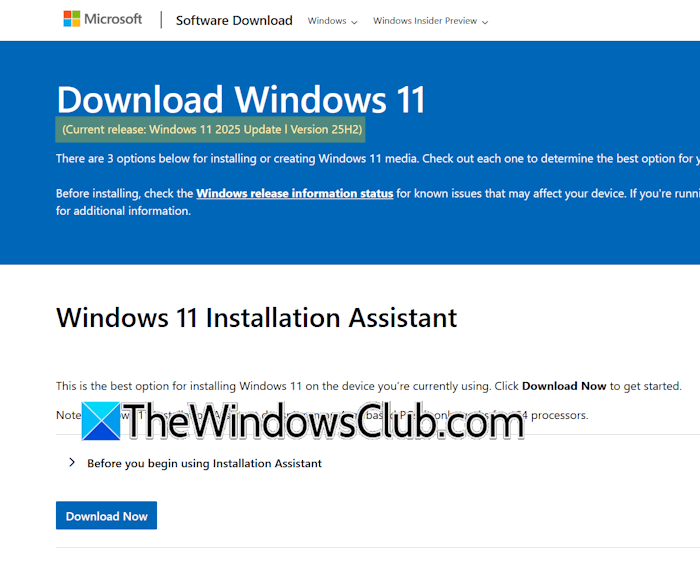
You can use the Media Creation Tool to upgrade your system to Windows 11, version 25H2. You can also use the Windows 11 Installation Assistant. It is one of the best ways to upgrade your computer
For complete details, please visit the official Microsoft website.
