
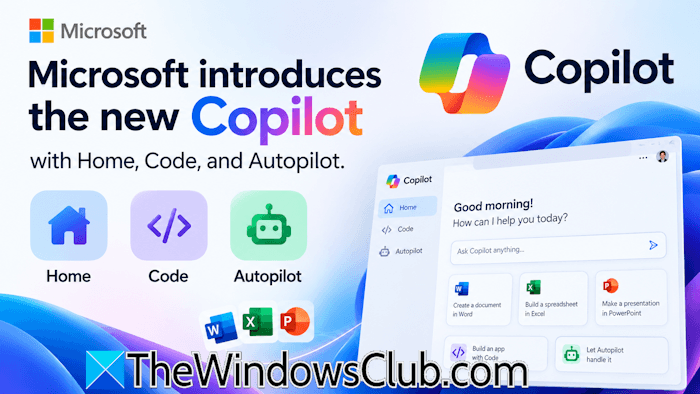
Microsoft introduced a major Copilot redesign with new capabilities, including Home, Code, and Autopilot, an autonomous AI agent that can handle tasks on its own. With this step, Microsoft is taking Copilot beyond the conversational chat assistant. Now, Copilot can build solutions, work with code, and handle longer tasks. This article covers all the important highlights of its new features and capabilities.
We’re building Copilot as a new OS for work that spans every model, every form factor, and every task, said Satya Nadella
Microsoft introduces the new Copilot with Home, Code, and Autopilot
The new Copilot app now has the following three capabilities:
- Home: It brings Chat and Cowork together on a single interface.
- Code: It allows everyone to build their solutions and provides tools to run those solutions safely.
- Autopilot: It is a powerful personal agent that keeps working even when you are not.
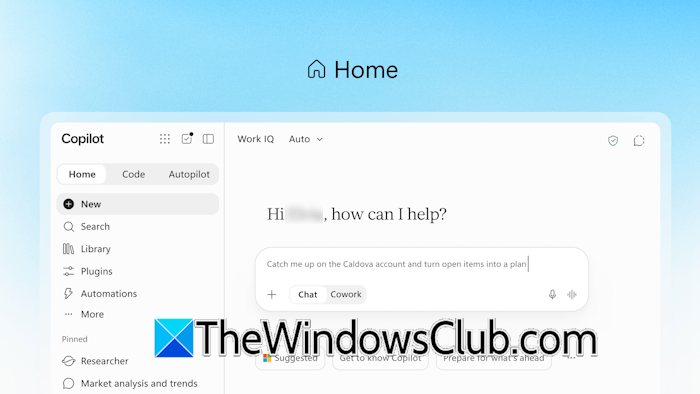
Home is a single dashboard that combines Chat and Cowork. Now, you do not need to jump constantly between meetings, chats, documents, emails, apps, and agents. You can review recent activity, get suggestions on what Copilot can help with, and pick up work right where you left off. Chat is the instant conversational mode where you can get answers to your queries. Cowork is designed for larger delegate tasks. You can assign a task to Cowork, and it works on it continuously in the background.
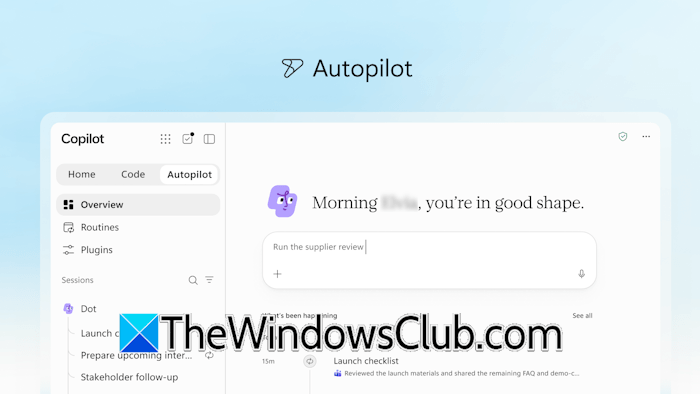
Microsoft is also going to introduce Office in Copilot that brings Word, Excel, and PowerPoint directly into Copilot, allowing users to create and edit their Office documents through Copilot Chat. For example, you can ask Copilot to create a document in Word, a spreadsheet, or a PowerPoint presentation without switching between apps. Code allows anyone to build apps or solutions using natural language. You just have to describe what you want, like an app, tracker, etc., and Copilot will build it for you. Autopilot (formerly Scout) is an autonomous AI agent that runs in the background and works on the assigned task continuously even when you are not working.
Microsoft says that soon, you won’t even need to select a mode. Just type your requirement, and Copilot will automatically select the right mode for your task.
Other features of the New Copilot
Microsoft is also introducing Copilot Managed Runtime. It is a secure hosting infrastructure managed by your organization’s IT department that lets you run code and apps you build safely right inside your company’s Microsoft 365 environment. This allows you to share them with your teammates and connect them to live data. Copilot Managed Runtime is now in preview and will also be accessible inside Code.
Microsoft is adding Fabric IQ to Copilot, allowing it to connect to your company’s data securely, so you can get real-time business information instantly. For example, when a salesperson is working on a proposal, Copilot can incorporate data like deal history and support tickets right into the document. Additionally, a new Plugin Registry is also being rolled out that provides a central catalog for managing Microsoft, partner, and other custom-built plugins.
Pricing models
Microsoft says that the following two pricing models will be available:
- User Subscription License (USL)
- Usage-Based Billing (UBB)
The USL pricing model is a fixed-cost pricing model available on a subscription basis. It suits tasks like getting quick answers, generating summaries, etc. Auto is the heart of USL, automatically balancing accuracy, speed, and cost by routing each request to the best model for the job. UBB is suitable for advanced and long-running tasks that require powerful AI models. Microsoft is also adding FinOps that helps administrators manage AI spend and optimize it for business value.
That’s it. For more information, you can visit blogs.microsoft.com.

Leave a Reply